
I still remember hitting that pre-order button back in July 2025. The Galaxy Z Fold 7 had just been announced at Samsung’s Unpacked event in Brooklyn, and I was watching the livestream at my desk — probably when I should have been reviewing some ICT project documents. But hey, some things you just know are worth the distraction.
Fast forward almost a year, and I’m still unfolding this thing with the same excitement as day one. No exaggeration. As someone who works in government IT and spends a good chunk of my week juggling documents, reports, and the occasional late-night coding session for my Master’s coursework, this phone has genuinely changed how I work — and how I unwind.
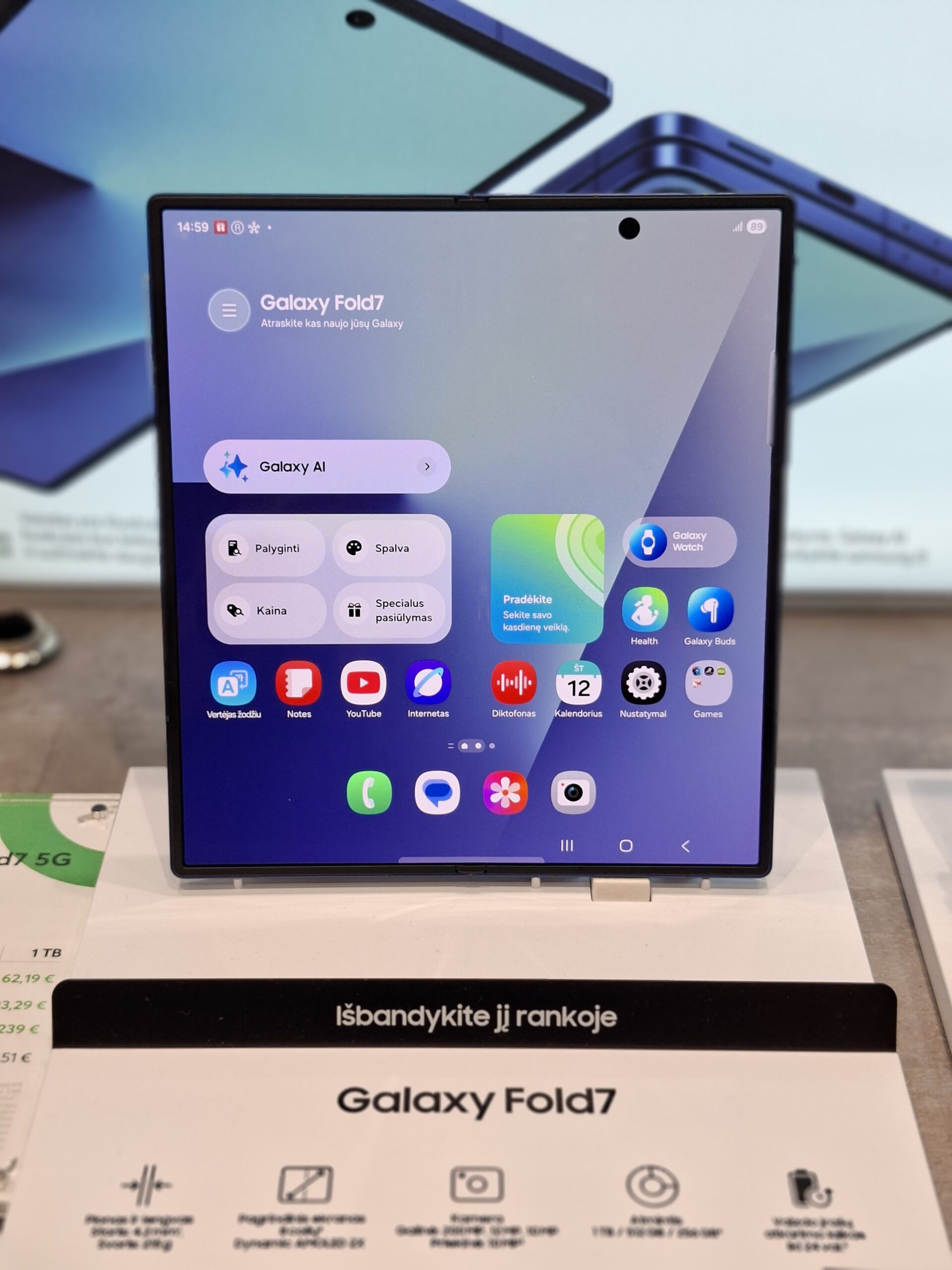
What Makes the Galaxy Z Fold 7 Special
Samsung didn’t just do a minor refresh here. The Z Fold 7 feels like the moment foldables finally grew up. Here’s what’s under the hood:
Display: Two Screens, Zero Compromises
- Main (unfolded) display: 8.0-inch Dynamic AMOLED 2X, 2184 × 1968 resolution, up to 2,600 nits brightness
- Cover display: 6.5-inch Dynamic AMOLED 2X, 2520 × 1080, now at a 21:9 aspect ratio
The wider 21:9 cover screen is a quiet but massive improvement. The Z Fold 6’s cover display always felt a bit too narrow for comfortable typing. This one? It actually feels like a normal phone when folded. I can reply to Telegram messages, scroll through news, or check emails without feeling like I’m typing on a TV remote.
And when you unfold it — that 8-inch canvas is chef’s kiss. Reading research papers for my Master’s, reviewing spreadsheets for the office, or just watching anime during my commute (currently rewatching Solo Leveling — don’t judge), the immersion is real.
Performance: Snapdragon 8 Elite Doesn’t Play Around
- Processor: Snapdragon 8 Elite (3nm process), Oryon V2 cores clocked at up to 4.47 GHz
- RAM: 12 GB LPDDR5X (16 GB on the 1 TB variant)
- Storage: 256 GB / 512 GB / 1 TB UFS 4.0
- Battery: 4,400 mAh dual battery, 25W wired charging, 15W wireless, 4.5W reverse wireless
Let me put it this way — I’ve thrown everything at this phone. Multiple Excel sheets, a dozen browser tabs, YouTube PiP, and a chess app in split-screen. Not a stutter. The Snapdragon 8 Elite chews through multitasking like it’s nothing. And as someone who plays a lot of chess online, the large unfolded screen with a chessboard on one half and analysis on the other is borderline unfair.
Battery life has been solid too. A full day with moderate-to-heavy use is never a problem. The 25W charging isn’t the fastest on paper — some Chinese brands are pushing 100W+ — but honestly, I just charge it while I shower and it’s good for the day.
Camera: 200 Megapixels in Your Pocket
- 200 MP wide-angle (main sensor)
- 12 MP ultra-wide
- 10 MP telephoto with 3× optical zoom
- 10 MP cover camera + 10 MP under-display camera
The 200 MP sensor is the same one from the Galaxy Z Fold Special Edition, and Samsung’s ProVisual Engine does some serious heavy lifting in processing. Low-light shots have come out surprisingly clean — I’ve taken photos at government events in dim conference halls and they actually looked good. The AI-powered Generative Edit in the Gallery app also makes quick edits ridiculously easy. Remove a photobomber? Done in two taps.
Design: Lighter, Thinner, Tougher
- Folded: 158.4 × 72.6 × 8.9 mm
- Unfolded: 158.2 × 143 × 4.2 mm
- Weight: 215 grams
At 215 grams, it’s the lightest Z Fold Samsung has ever made. You actually notice it. The Z Fold 4 and 5 felt like carrying a small brick in your pocket. This one? It just feels like a slightly thicker regular phone. The hinge feels more refined too — smoother, more satisfying to open and close.
How I’m Protecting It: The Pitaka Sunset Case
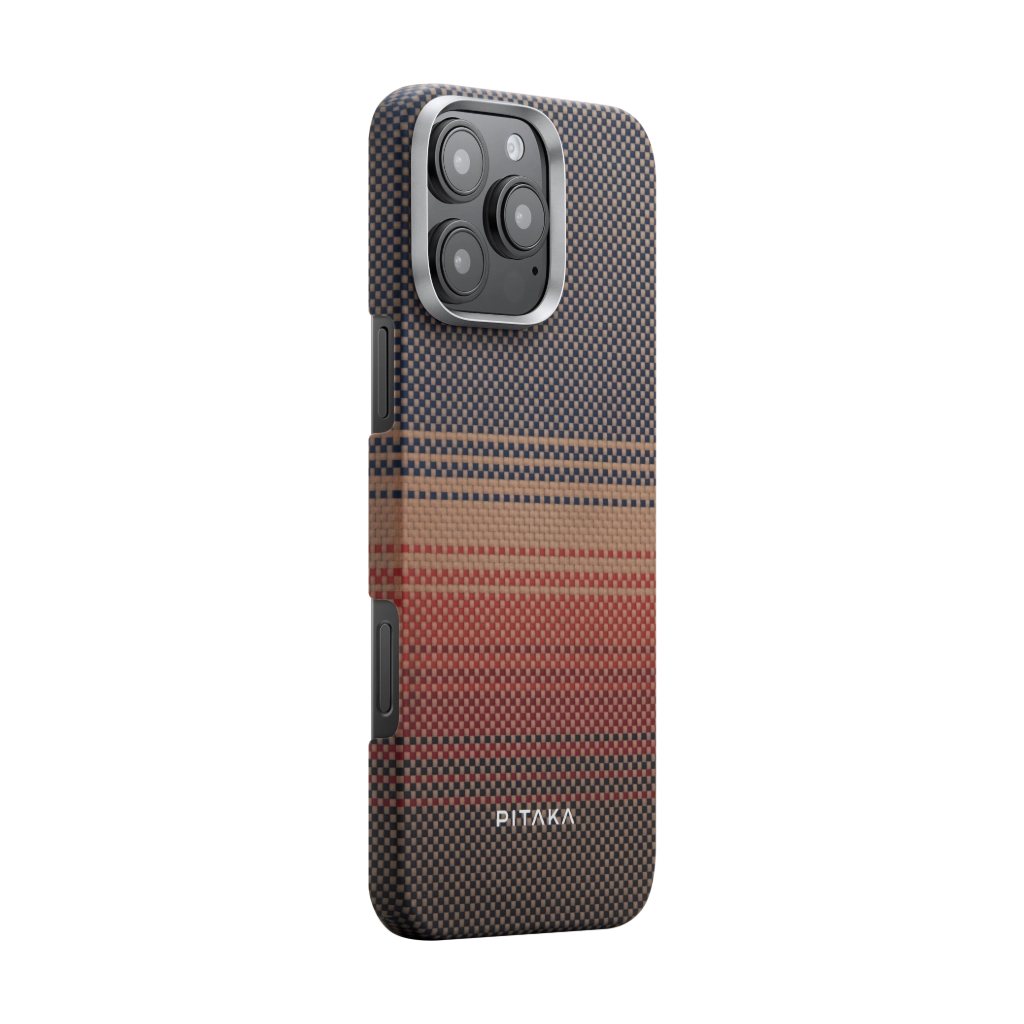
When you’re carrying around a phone that costs as much as a decent laptop, you think hard about protection. But I didn’t want one of those bulky armor cases that doubles the thickness. That kind of defeats the purpose of a phone this sleek.
I went with the Pitaka case in Sunset — their aramid fiber lineup with that warm orange-gold finish. If you’re not familiar with Pitaka, they specialize in ultra-thin cases woven from aramid (the same material used in aerospace and military gear). The case is barely 0.95 mm thick and weighs almost nothing, but it’s surprisingly tough.
The Sunset colorway is beautiful — it catches the light differently depending on the angle, shifting between deep orange, copper, and gold. Against the Jet Black body of my Fold 7, it’s a striking combo. Plus, the textured weave gives just enough grip so I’m not constantly terrified of dropping it.
Almost a year in, and the case still looks great. No peeling, no discoloration. It’s one of those accessories that you forget is there — until someone asks “what case is that?”
One UI 8.5: The Update That Made It Even Better
The Z Fold 7 shipped with Android 16 and One UI 8, which was already excellent. But the One UI 8.5 update that rolled out this May? That’s where things got genuinely exciting.
Here’s what the update brought to my Fold 7:
A Fresh Look That Feels More Alive
The visual redesign is immediately noticeable. Samsung introduced transparent blur effects throughout the UI, floating elements that subtly shift as you move the phone, and animations that are noticeably smoother. The quick settings panel got a full makeover — it’s cleaner, more customizable, and the blur effect behind it looks premium. The lock screen and home screen customization options also got a big expansion. I spent way too long tweaking my setup, if I’m being honest.
Galaxy AI Got Smarter — A Lot Smarter
- AI-powered call screening: The phone can now screen calls for you, transcribe what the caller says in real time, and let you decide whether to pick up. As someone who gets a lot of unknown calls related to work, this has been a game changer.
- Text-based image editing: You can literally type what you want to change in a photo — “make the sky more dramatic” or “remove the trash can on the left” — and the AI does it. It feels like magic the first few times.
- Combine objects from different photos: Take a subject from one photo and place it into another. Perfect for group photos where someone blinked.
- Style application: Apply artistic styles to images with a single tap. Think different painting styles, comic book filters, or cinematic color grades.
- Continuous AI image generation: Generate a series of related images that evolve — great for storyboarding or just messing around.
- Creative Studio: A dedicated space for generating wallpapers, stickers, and profile images. I’ve already made a custom chess-themed wallpaper.
Bixby Got an Upgrade (Yes, Bixby!)
Bixby now integrates with Perplexity AI, which means you get actual web-aware answers instead of the basic commands Bixby was limited to before. I used to ignore Bixby entirely — now I actually ask it questions. It’s not quite at the level where it replaces Google Assistant for everything, but the gap is closing fast.
Built-In Document Scanner
The Camera app now has a built-in document scanner. Point it at a document, it auto-crops, straightens, and enhances the text. For someone in government work where paperwork is still very much a reality, this alone saved me from downloading a third-party scanner app. It also works on the Fold’s large screen beautifully — scan a full A4 document without squinting.
Quick Share Now Works with AirDrop
This one made me genuinely happy. Quick Share now supports AirDrop, which means I can finally share files between my Fold and my colleagues’ iPhones without the usual “send it on Telegram” workaround. It works surprisingly well — I’ve tested it sending photos and PDFs, and it’s fast and reliable.
Almost a Year In — Would I Do It Again?
Absolutely. No hesitation.
The Galaxy Z Fold 7 isn’t just a phone — it’s become my primary device for work, study, and play. The large screen makes reviewing documents and research papers comfortable instead of painful. The multitasking lets me keep an eye on my calendar, email, and notes simultaneously during meetings. And when I’m off the clock, it’s my portable cinema, chess board, and e-reader rolled into one.
The One UI 8.5 update was the cherry on top. It took a phone that was already excellent and made it feel new again. Samsung’s promise of seven years of updates means this device is going to age gracefully — and that’s reassuring when you’ve invested this much in a phone.
If you’re on the fence about foldables, the Fold 7 is the one that might finally convince you. It’s not perfect — nothing is — but it’s the closest a foldable has come to feeling like the future without the usual compromises.
And yes, my Pitaka Sunset case is still turning heads. Worth every peso.
Quick FAQ
Is the crease noticeable on the Fold 7?
Yes, it’s still there — but it’s much less noticeable than earlier models. You see it at an angle, but in day-to-day use your brain filters it out within a few minutes. The screen quality more than makes up for it.
How’s the durability after a year?
No issues at all. The hinge is still smooth, the inner screen protector hasn’t peeled, and the device works like day one. The Pitaka case has definitely helped with drop protection.
Is the battery enough for power users?
It’ll get you through a full day. If you’re gaming heavily or using GPS all day, you might need a top-up by evening. The 25W wired charging gets you back to 50% in about 30 minutes.
Should I wait for the Fold 8?
If you always want the newest thing, sure. But the Fold 7 with One UI 8.5 is already so good that you’re not missing out on anything essential. Plus, the Fold 7 is likely to see price drops once the next model is announced.
Image credits: Galaxy Z Fold 7 device photo by Matabalt via Wikimedia Commons (CC0). Pitaka case image from Pitaka.