
Microsoft just pulled off something I didn’t expect from them in 2026: a Windows event that actually mattered. Not another AI chatbot wrapper, not another subscription price hike — a full-stack hardware-and-software play that redefines what a Windows PC can do when AI is the workload, not a side feature.
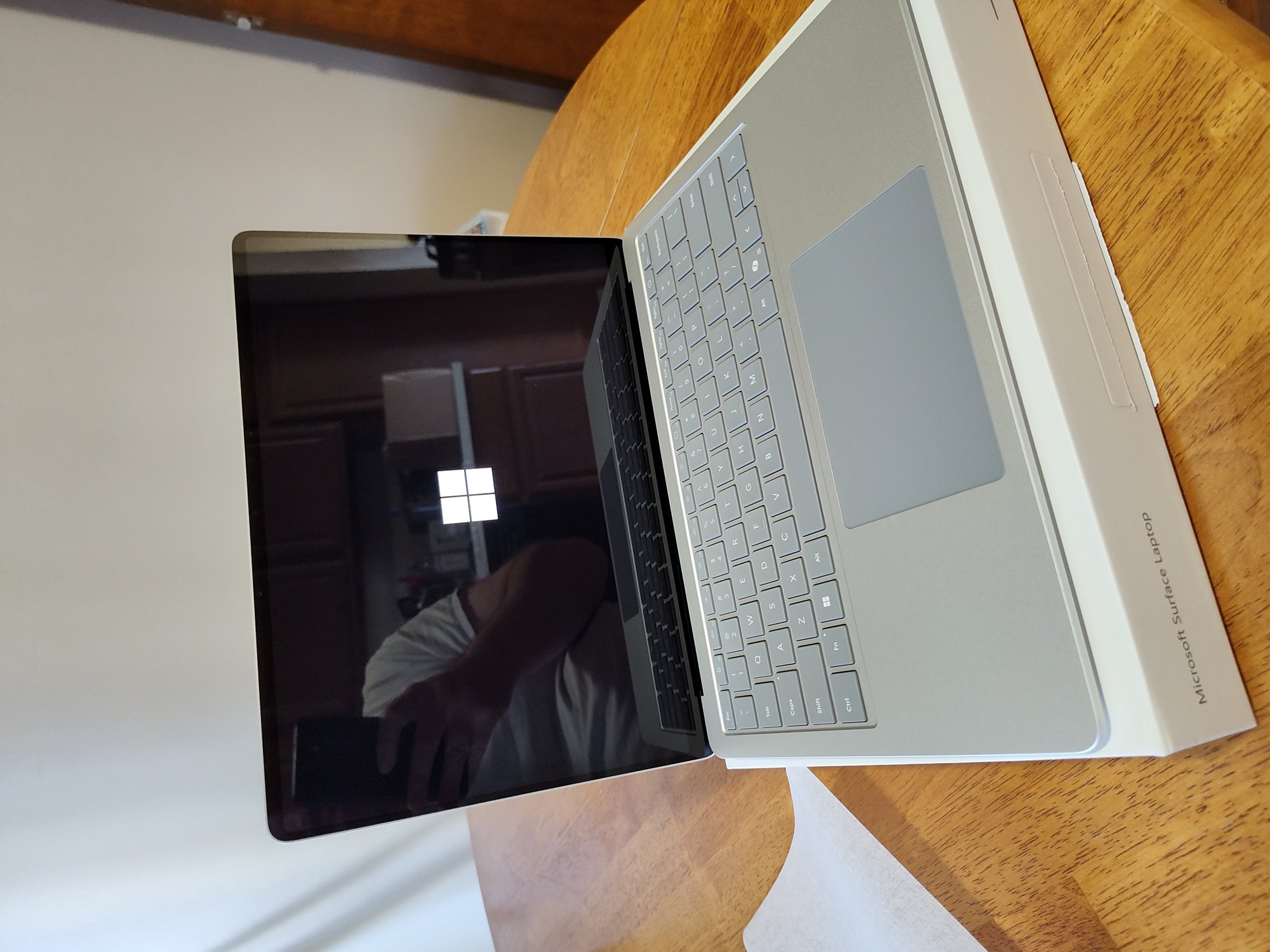

At the October 7 Windows and Surface event in San Francisco, Microsoft unveiled the Surface Laptop Ultra, announced Windows 11 26H2 with its Low Latency Profile, and made Microsoft Execution Containers (MXC) generally available. Three announcements, one coherent strategy: the PC is becoming an AI agent’s body, and Windows is building the nervous system.
The Surface Laptop Ultra: Nvidia Inside, AI First
The headline device is the Surface Laptop Ultra, starting at $2,599 and shipping October 16. It runs on Nvidia’s RTX Spark N1X — a chip that combines an Arm-based Grace CPU (18-core or 20-core) with a Blackwell RTX GPU (5,120 or 6,144 CUDA cores) and up to 128 GB of unified memory. Microsoft claims up to one petaflop of AI compute, enough to run 120-billion-parameter models locally.
Let that sink in. A laptop under 4.5 pounds, under 18 mm thin, with the compute density of a 2016 DGX-1 data center server — the one Jensen Huang said cost $250 million. That’s not a spec bump. That’s a category shift.
The pricing ladder is aggressive: $2,599 for the base 18-core/24GB/512GB config, $3,699 for the 20-core/32GB/1TB, and $5,899 for the maxed-out 128GB model. The Asus ProArt P16 with the same chip goes up to $6,999. These are MacBook Pro killer prices, and Microsoft is betting that developers and creators who need local AI compute will pay them.
What makes this more than a spec sheet is the software story. Windows 11 now routes AI tasks between local and cloud automatically — a green leaf icon shows when an app is using the local GPU. You can run models locally without racking up cloud token bills, and the hybrid intelligence layer decides which workloads stay on-device and which go to the cloud.
Windows 11 26H2: The Update That Actually Makes It Faster
While the hardware grabbed headlines, the quieter announcement might matter more to everyday users. Windows 11 26H2, released September 29, brings the Low Latency Profile to the OS — a CPU scheduling mechanism that briefly races the processor to maximum clock speed when you open an app, then returns it to deep idle.
The results are measurable: Microsoft’s own Edge and Outlook launch approximately 40% faster. Shell interactions — Start menu, context menus — test as much as 70% faster. On systems with 16 GB of RAM or more, idle memory consumption drops by 2-3 GB. That’s not a placebo. That’s a real, independently verified improvement.
But there’s an asterisk. PCs with 8 GB of RAM — the configuration Microsoft publicly committed to optimizing by year’s end — are seeing little or no improvement so far. The Low Latency Profile helps, but it can’t work miracles on hardware that’s already memory-constrained. If you’re on 8 GB, 26H2 is a modest update. If you’re on 16 GB or more, it’s the best Windows performance update in years.
Microsoft Execution Containers: The Agent Security Layer We Needed
The most important announcement for developers and IT administrators was Microsoft Execution Containers (MXC) going generally available. MXC is a policy-driven execution layer that lets organizations define what files, network destinations, and system resources an AI agent can access — and Windows enforces those boundaries at runtime.
The core principle is simple: an agent cannot be its own security authority. The boundary has to be defined by a developer or organization and enforced outside the agent itself. Neither the agent nor the code it generates can grant itself more access.
MXC offers a spectrum of isolation: process isolation for lightweight workloads, session isolation for long-running agents that need a desktop, WSL containers for Linux-first toolchains, virtual machines, and Windows 365 for Agents. Only Windows supports the session container, which runs an agent in a separate OS-isolated session with its own identity, desktop, clipboard, and input boundaries.
Agents already supporting MXC include OpenAI’s Codex, GitHub Copilot, OpenClaw, Replit, LM Studio, Nvidia’s OpenShell, and Unsloth AI. Anthropic’s Claude Code, Perplexity, Manus, and Meta’s Muse for Windows are among those adding support. This is the broadest agent security ecosystem I’ve seen — and it’s enforced at the OS level, not by the app asking nicely.
Copilot+ PCs Are Not Dead — They’re Everywhere
Remember when everyone thought Copilot+ PCs were dead? Microsoft’s head of Windows and Devices Pavan Davuluri went on stage and said the opposite: over 40% of laptops being built for business are now Copilot+ PCs, shipping in “tens of millions of PCs a year,” with over 2 trillion inferences per month running locally across search, imaging, and video calls.
That’s a staggering number. Two trillion local AI inferences per month means the NPU — the neural processing unit that was a marketing gimmick in 2024 — is now doing real work at scale. The Copilot+ PC brand may have been de-emphasized in consumer marketing, but the hardware standard is winning in enterprise.
The new Copilot features announced at the event — Home, Code, and Autopilot — reposition it as a unified workspace that connects documents, conversations, data, and tasks. It’s no longer a chatbot sidebar. It’s an agent that can take actions on your behalf, with your permission, across both web and desktop apps.
What This Means for Developers
If you’re a developer, here’s the practical takeaway: the local AI compute story is real, and it’s arriving now. The Surface Laptop Ultra and its RTX Spark siblings from Asus, Dell, HP, Lenovo, and MSI are the first wave of machines designed for agentic AI workloads — not just inference, but agents that read files, run tools, and take actions.
MXC gives you a security model for those agents. You can declare what an agent can access, and Windows enforces it. You can run a coding agent in a process container with access to only your project directory and nothing else. You can give a long-running agent a session container with its own identity, so when Defender detects a hijacked agent, you can cut that agent off without locking the human out of the same files.
This is the Windows platform maturing into an AI agent host. The combination of local compute (RTX Spark), OS-level security (MXC), and hybrid intelligence (Copilot) is a stack that didn’t exist a year ago. Whether it’s enough to make Windows the default platform for agentic AI — and whether AI text tracking like OpenAI’s textGrain will matter in a world where agents generate as much code as humans — that’s a question the next six months will answer.
One thing is clear: Microsoft is no longer playing catch-up in AI. They’re building the infrastructure for the next era of computing, and they’re doing it on their own terms — with Nvidia silicon, with OS-enforced agent security, and with a hybrid intelligence model that doesn’t force you to choose between local and cloud.
The PC isn’t dead. It’s just becoming something else entirely — and if you’re worried about where AI safety goes from here, OpenAI’s new reasoning technique just made that question a lot harder to answer.