
That text from “Amazon” about a failed delivery that wants you to log in and confirm your payment method — is it real? Every year, Amazon says about 360,000 customers pick up the phone to ask customer service that exact question. That number tells you everything about how good modern impersonation scams have gotten. The message looks right, uses the right logo, references the right order. The only thing it can’t fake, apparently, is certainty.
That’s the gap Amazon is now trying to close with AI. In early September 2026 the company rolled out a communication-verification feature inside Alexa for Shopping that lets you ask, in plain language, whether an email, text, call, or direct message actually came from Amazon, per Amazon’s official announcement. It’s the first verification tool of its kind from a major retailer, and it’s a genuinely practical idea worth understanding — even if you never use Alexa.
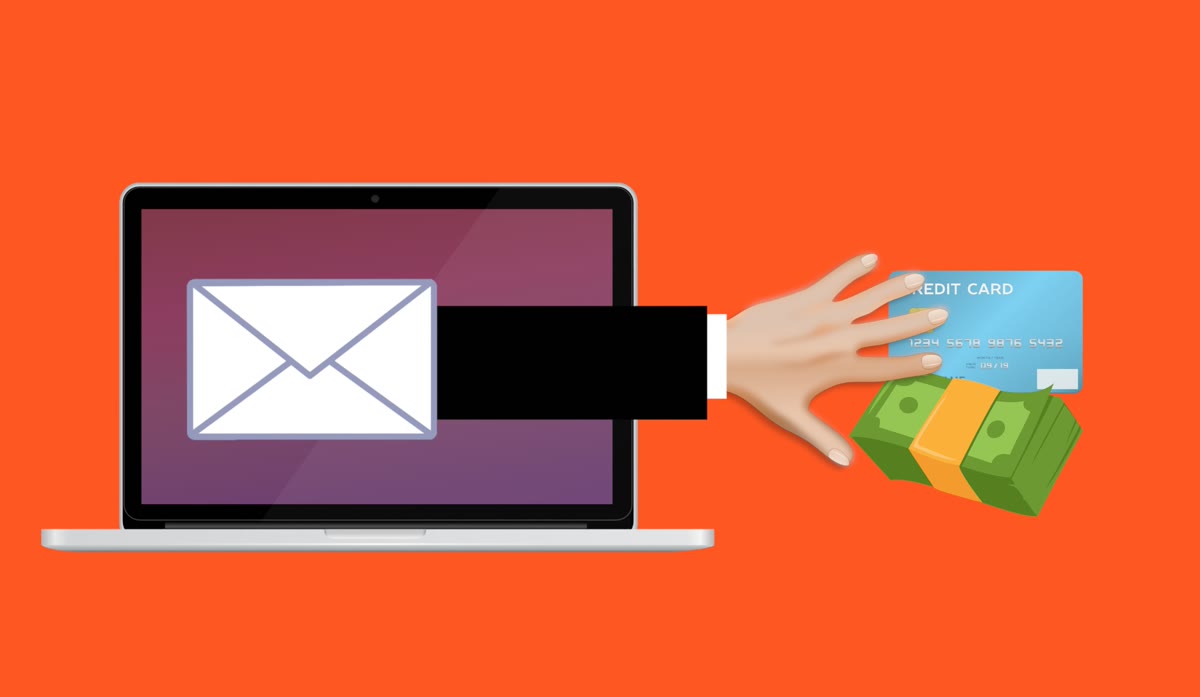

The problem: everything “from Amazon” looks convincing now
Scammers don’t need your password to hurt you. They need you to hand it over, or to click a link that installs malware, or to “verify” a fake charge on a lookalike page. The classic templates — fake order confirmations, phony Prime renewal alerts, account suspension warnings, package-delivery texts, and so-called job scams — have gotten disturbingly polished because attackers reuse real Amazon branding and word the messages to trigger urgency.
For years the only safe answer was a manual checklist: check the sender address, hover over links, don’t click, call the official number. That still works, and I’ll walk you through it below. But the manual method has a real weakness — it demands attention at the exact moment most people are most distracted, and sophisticated attacks are engineered to defeat the quick glance.
What Amazon’s new AI verification actually does
Starting now for U.S. customers, you can ask Alexa for Shopping whether a message came from Amazon. The tool cross-references the details you give it — where the message came from, when it arrived, and what it said — against the billions of communications Amazon’s own systems have sent. It analyzes sender information, content, timing, and formatting, then returns one of three answers: confirmed from Amazon, not from Amazon, or unable to verify.
Amazon frames it honestly: only the company itself can definitively confirm whether something originated from its own systems. That’s the key insight here — the AI isn’t guessing based on language patterns the way a generic scam filter does. It’s checking against ground truth. Every message submitted for verification is also automatically reported, so the system learns from each query and feeds that intelligence back into blocking bad actors.
Try asking it something concrete, like: “Did Amazon send me a text about a delivery problem yesterday?” or “Is this email about my Prime membership real?” or “I got a call about a refund — was that from Amazon?” If the message is genuine, the tool tells you so and drops in security tips like setting up passkeys and two-step verification. If it isn’t, you get next steps: check your orders in the app, contact Amazon directly through amazon.com/support, and don’t reply or click anything. If it can’t confirm, it walks you through resubmitting with more detail or trying the email route.
The three official verification paths
Alexa for Shopping is new, which automatically raises the question: what about everyone else, in every other country? Amazon built this on top of two earlier tools that remain available, and they don’t need Alexa or even an Amazon account.
First is [email protected] — an email address anyone anywhere in the world can use. Forward a suspicious message to it and you get a reply confirming whether that message genuinely came from Amazon. No app, no account, no cost. Amazon says it’s available to Amazon customers or not.
Second is the verification form on Amazon’s customer-service pages. You give it the same details — where the message came from, when, and what it said — and it returns an instant result. Between the form, the email, and Alexa for Shopping, you have three ways to confirm a message across whichever interface you happen to be using.
Why this matters beyond Amazon
Read between the lines and this announcement is bigger than one retailer. It’s a recognition that ordinary people should be able to verify a message the way developers verify a signature — by checking it against the true source rather than trusting the surface layer. For a Filipino audience reading this, the useful takeaway is the pattern, not the product: when you’re unsure whether a message is real, the safest move is to verify it against the official channel of whoever it claims to be — never by responding to the message itself.
That principle generalizes to any brand, bank, courier, or government office pretending to contact you. I keep going back to it because it’s the single most reliable phishing defense I know, and I’ve written about variants of this problem before — from AI-driven spear phishing that reads more convincingly than the real thing to auditing whether your own accounts were exposed. The scenario shifts, the fix is always the same.
The manual checklist that still works (for every brand)
The AI tools are a great shortcut, but you shouldn’t depend on one company’s feature to stay safe. Here’s the five-point manual check that covers Amazon or anything else, straight from the experts at the Federal Trade Commission:
- Check the sender, not the display name. Anyone can put “Amazon” in the From line. Look at the actual email address or the phone number it originated from — if it isn’t a domain Amazon clearly controls, treat it as hostile.
- Generic greeting = red flag. “Dear customer” or “Dear valued member” instead of your real name is one of the clearest signs of a bulk phishing blast.
- Hover over every link before clicking. The visible text may say amazon.com while the real destination is a misspelled substitute domain. If the URL behind the link isn’t exactly the official domain, don’t click it.
- Urgency is a weapon. “Your account is on hold,” “unusual activity detected,” “act within 24 hours.” Legitimate companies rarely threaten to cut you off in an email with a deadline for payment details.
- Verify through the front door, not the message. If you have doubts, open your browser, go directly to the company’s official site, and check your account or recent orders there. Never use a link or phone number supplied by the suspicious message.
The FTC adds two more that people skip: keep every device updated automatically so security patches land without you thinking about it, and turn on multi-factor authentication wherever it’s offered — something you know, something you have, something you are. A stolen password is far less dangerous if it can’t be used alone. If you’ve ever clicked a link you now regret, the agency’s guidance is update and scan your security software, then check your accounts for leaked credentials.
The honest limits of AI verification
Let me be straight about what this tool doesn’t do. Alexa for Shopping only verifies messages that claim to be from Amazon. A scam impersonating your bank, your telco, or a delivery courier is outside its scope — that’s still your manual checklist’s job. And “unable to verify” doesn’t always mean “scam”; it can just mean the message was real but didn’t match the records cleanly. Amazon’s own description is deliberately careful, which I actually respect.
There’s also the reach question. The feature launched in the U.S. first, so most readers outside the market won’t have it yet. That’s exactly why the manual toolkit above — and the general habit of confirming through official channels — matters more than any single vendor’s AI feature.
Bottom line
The scariest part of modern phishing isn’t that it’s crude — it’s that it’s good. An AI assistant that can tell you a message is fake in seconds is a genuine step forward, but the real win is the mindset it models: don’t trust the message, verify the source. Whether you ask Alexa, forward to a verification address, or just check your orders in the official app, the rule is the same. When in doubt, skip the link and go through the front door.
If you want to get ahead of that same cat-and-mouse game elsewhere in your digital life, my other deep dives cover detecting when your own accounts are compromised and whether the AI tools you use can be trusted with your data. The fights feel different, but they’re all the same battle: knowing what’s real before you act on it.