
I have a confession. I have been a Samsung DeX convert since the Tab S7 days, and every year I tell myself this will be the year I switch to a laptop-first workflow. Every year, Samsung gives me a new reason not to. The Galaxy Tab S12 Ultra, which launched October 7, is that reason again — but this time the price tag made me wince harder than usual.
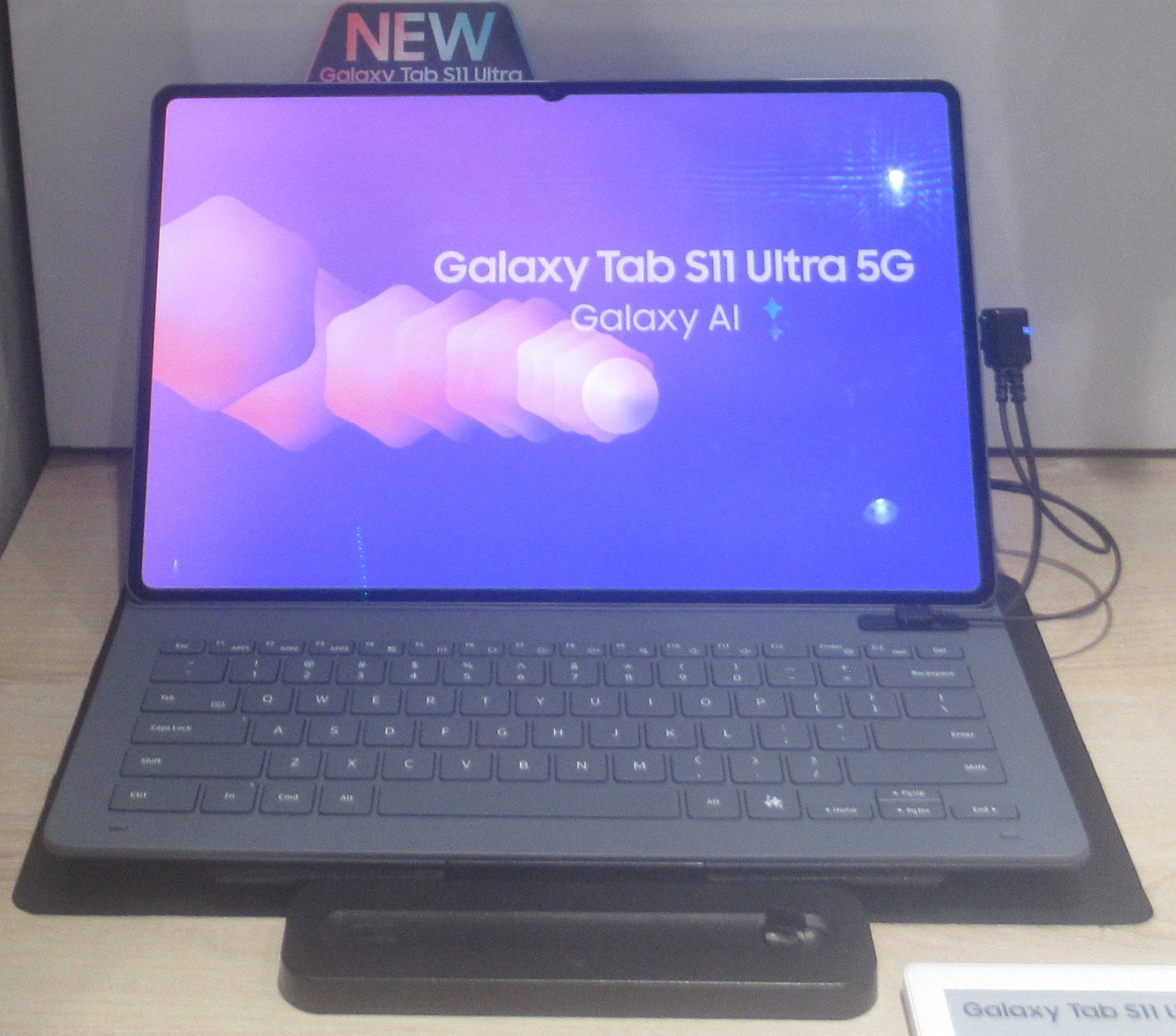

At $1,399.99 for the base 256GB model, the Tab S12 Ultra costs more than a Dell XPS 13 and nearly as much as an iPhone 18 Pro. That is a lot of money for an Android tablet, no matter how you slice it. But after two weeks of using it as my primary device, I have a complicated answer to the question everyone keeps asking: is it worth it?
What the S12 Ultra Gets Right
That Display Is Ridiculous
The 14.6-inch Dynamic AMOLED 2X panel is the star of the show, and it is not even close. At 1848 x 2960 resolution with a 120Hz variable refresh rate and 1,600 nits peak brightness, this is the best screen I have seen on any tablet, full stop. Colors pop without oversaturation, HDR content looks stunning, and the 120Hz refresh rate makes every swipe and scroll feel effortless.
The bezels are thin — 5.2mm on all sides — which makes the already massive screen feel even more immersive. My only gripe is the small display notch for the front camera, which remains an eyesore in vertical orientation. It is small enough to ignore in landscape mode, but it is still there, and I wish Samsung had figured out how to eliminate it by now.
Dimensity 9500: The Quiet Upgrade
Samsung switched from the Dimensity 9400+ in the S11 Ultra to the Dimensity 9500 this year, built on a 3nm process. On paper, that means a 19% CPU boost, 17% GPU improvement, and a whopping 61% NPU performance jump. In practice, everything is fast. Multitasking in DeX mode, running split-screen apps, gaming, even light photo editing — the Tab S12 Ultra handles all of it without breaking a sweat.
In Geekbench 7, the tablet posted a multi-core score of 9,403, which actually beats some laptops in its price range. Sustained performance is solid too — in stress tests, it kept 74% of its CPU and 69% of its GPU maximum performance even after prolonged use.
Battery Life That Lasts Days
The 11,600mAh battery is the same capacity as last year’s S11 Ultra, but it still delivers class-leading endurance. Engadget’s local video rundown test hit 19 hours and 39 minutes. GSMArena’s Active Use Score came in at 13 hours and 23 minutes, matching its predecessor. In my own daily use — streaming, document editing, web browsing, some gaming — I ended most days with 40% left in the tank. This is genuinely a two-day device for moderate use.
Charging is 45W wired, which gets you from 0 to 41% in 30 minutes and a full charge in about 84 minutes. Not the fastest in the class — several competitors offer 67W to 100W — but it is more than adequate.
The Ecosystem Play: DeX, S Pen, and One UI 9
Samsung’s DeX mode remains the secret weapon here. Switch from the standard Android home screen and you get a desktop-like UI with a taskbar, windowed apps, snap-to-edge multitasking, and even portrait mode. With the optional Pro Keyboard (which costs an extra $399 — more on that later), the S12 Ultra genuinely feels like a laptop replacement for light productivity work.
The S Pen is included in the box, which I appreciate. It uses EMR technology, so no battery to charge, no pairing needed. It is the same hexagonal pen design from previous models, with a removable nib and a button for erasing and other functions. For note-taking, sketching, or just navigating the interface, it works beautifully. IP68 rated, just like the tablet itself.
One UI 9 based on Android 17 brings some useful AI features. Call Brief listens to your calls in background and surfaces relevant information — calendar events, addresses, etc. Now Brief is a customizable AI-powered feed with custom cards for weather, health, and video content. Gemini AI is built in for Circle to Search, image generation, and chat. None of this is revolutionary, but it is all well-integrated and actually useful in daily use.
Like I covered in my AI tools workflow guide, the key is not having AI features — it is having AI features that fit naturally into how you already work. Samsung gets this right more often than not.
The broader AI landscape is shifting fast, too. Meta’s Muse Wonder launch shows how aggressively the industry is pushing AI integration into every device category. Samsung’s approach — embedding AI into the OS layer rather than bolting it on as a chatbot — feels more sustainable than most.
Where It Falls Short
The Price Hurts
Let us address the elephant in the room. The Tab S12 Ultra starts at $1,399.99 for 256GB / 12GB RAM. That is a $200 price increase over the S11 Ultra’s launch price. The 512GB model is $1,599.99, and if you want 1TB, you are looking at $1,999.99. These are laptop prices.
And the Pro Keyboard? That is another $399. Without it, you do not get the full laptop replacement experience that DeX promises. With it, your “tablet” costs $1,800 — more than a MacBook Neo, more than most ultrabooks. That is a hard sell.
One Port Is Not Enough
For a device this big, this expensive, and this clearly aimed at productivity, having only a single USB-C port is baffling. No headphone jack, no microSD card reader on the device itself (there is a dedicated microSD slot, but it is not accessible without removing the tray), no HDMI out. You want to connect an external display, a mouse, and charge at the same time? You need a hub. On a $1,400 device, that should not be necessary.
No Charger in the Box
Samsung does not include a power adapter in the box. You get a 3A USB-C cable and the S Pen, but if you do not already have a 45W USB-PD charger, you will need to buy one separately. At this price point, that feels petty.
The Notch
I know I mentioned it already, but the display notch deserves its own callout. In 2026, on a $1,400 tablet, there should be no notch. It is small, it is only noticeable in vertical orientation, and it does not interfere with most content in landscape. But it is there, and it should not be.
The Competition (or Lack Thereof)
Here is the thing about the Android tablet market: Samsung has no real competition at the top. OnePlus has left the US and Europe. Most other manufacturers focus on budget and midrange tablets. If you want a premium Android slate, the Tab S12 Ultra is effectively your only option.
The iPad Pro is the obvious alternative, but that is a different ecosystem entirely. Apple’s tablet is excellent — and as I noted in my iPhone Duo review, Apple is clearly investing heavily in premium hardware — but iPadOS still lacks the desktop-class multitasking that DeX provides. And if you are already in the Samsung ecosystem — phone, watch, buds — the Tab S12 Ultra integrates seamlessly.
For a broader perspective on how Samsung fits into the smart home and productivity ecosystem, my Apple HomeView coverage covers the competitive landscape from the other side of the fence.
Who Should Buy This?
The Galaxy Tab S12 Ultra is not for everyone. It is too expensive for casual media consumption, too heavy at 692 grams for extended handheld use, and too complex for someone who just wants to watch Netflix and browse the web.
But if you are a professional who wants a single device that can handle note-taking, document editing, light creative work, and entertainment — and you value the S Pen and DeX workflow — this is the best Android tablet money can buy. Period.
If you already own a Tab S10 Ultra or even an S9 Ultra, the upgrade is meaningful. The Dimensity 9500 is a real step up, Android 17 with 7 years of OS updates is future-proofing you cannot get from most Android tablets, and the display remains class-leading. If you are coming from an S11 Ultra, however, the improvements are more incremental — the chip is faster, the AI features are better, but externally and functionally, it is nearly the same device.
For developers and tinkerers, building Android apps that take advantage of DeX multitasking is a genuinely interesting workflow, and the S12 Ultra’s large screen and S Pen support make it a capable development companion.
The Bottom Line
The Galaxy Tab S12 Ultra is the apex Android tablet. It has the best display, the best battery life, the best stylus, and the most mature desktop-mode experience in the Android ecosystem. It is also absurdly expensive, has too few ports, and ships without a charger.
Would I recommend it? Yes, with caveats. If you can afford it and you will actually use DeX and the S Pen, it is a magnificent device. If you are a more casual user, you can get 80% of the experience from the Tab S10 Ultra or even the S11 Ultra at a significantly lower price.
I am still not switching to a laptop-first workflow. But for the first time, the gap between “tablet that can replace a laptop” and “laptop that can replace a tablet” feels almost closed. Almost.